
We've seen plenty of small business owners log into our website builder for the first time, then pause. Almost everyone freezes in practically the same three places. The good news: once you know what they are, each one takes about two minutes to get past.
Fortunately for you, we've identified these mental hotspots and intend to help you progress past them quickly. So, if you're trying to determine how to build your first website, the truth is it's less work than you might think.
What actually decides whether you launch this week or never is whether you push through these three moments. With us as your partner, you most certainly will. You'll get to create a professional website and see the grass that's definitely greener on the other side.
Basically, to build your website from scratch, start with our Online Website Builder.
Key Takeaways: How to Build Your First Website
- Building your first website doesn't require coding or web design experience when you use a drag-and-drop Website Builder.
- Start with a pre-designed template that's close to what your business needs. You can change the text, images, colours, fonts, and other content later.
- Your first website doesn't need dozens of pages. Most small businesses can start with a Homepage, About page, Services or Products page, and Contact page.
- Focus first on helping visitors understand what your business does, who it's for, and how they can contact or buy from you.
- Don't wait until every word and image is perfect before publishing. Websites can be edited and republished after launch.
- Start small, publish a working version, test it with real people, and improve it as you learn what your visitors actually need.
Your Week 1 Roadmap: Blank Canvas to Launch-Ready
This is the first post in a seven-part series. Our aim is to take you from "I don't know where to start" to a finished, working, simple website or online store. And we do it in one honest, practical step at a time:
- Getting Past the Blank Screen (this post)
- Choosing Your One Homepage Goal
- Finding Your Way Around the Editor
- Writing a Headline People Actually Read
- Ready-Made Sections vs Building Your Own
- Picking Colours Without Overthinking It
- Choosing Fonts People Can Actually Read
Bookmark this page, we'll link back to it the whole way through. For now, let's get you unstuck.
The 3 Moments Beginners Get Stuck
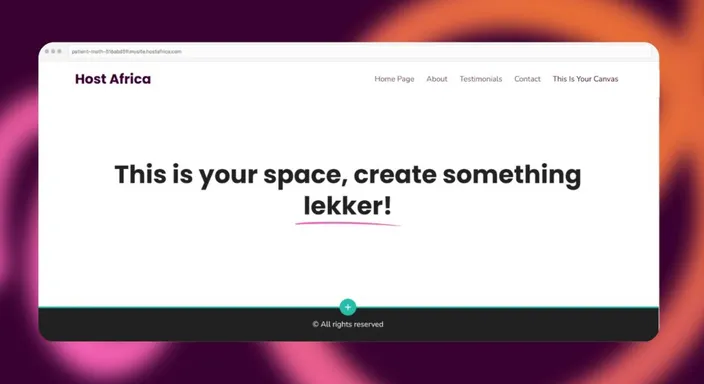
1. The Blank Page Freeze
What happens: You open your new account, see an empty page, and don't know what to click first. So you close the tab and tell yourself you'll "get to it this weekend." One of the classic blunders.
Why it happens: Nobody taught you what you actually need when you create a website. Without that, every blank box seems like a test you might fail. Or worse, a box of infinite possibilities which certainly feels overwhelming.
The fix: You don't need to know website design or web development. You need designed templates. Luckily, we've got a wide range of those already built for a business roughly like yours, with the structure already decided for you.
Pick one of our high quality templates that's close enough. If you think you might need commerce features or payment gateways, look for a template that includes those. You can change whatever site content you choose later, so there's no wrong choice here, only a starting point.
2. The "Is This Even Saved?" Panic
What happens: You type your business name into a text box and then just... sit there, scared to click away in case it's lost.
Why it happens: Some apps save automatically (like Google Docs), others don't. Nobody tells you which kind of tool you're using so you play it close to your chest.
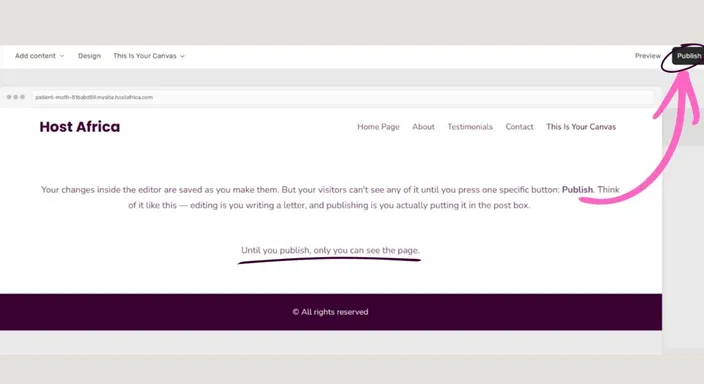
The fix: Let's clear the air by reassuring you that the editor saves the changes you make as you make them. However, your visitors can't see any of it until you press one specific button: Publish.
Think of it like this, editing is you writing a letter, and publishing is you actually putting it in the post box. Until you publish, only you can see the page.
3. The "What If It's Not Perfect?" Fear
What happens: You've got a placeholder photo, a typo you keep meaning to fix, and a half-finished sentence. With those minor hurdles blocking your path, you decide not to publish until it's "ready".
Why it happens: It feels like publishing a web page is permanent, like handing in an exam paper. The two aren't remotely the same.
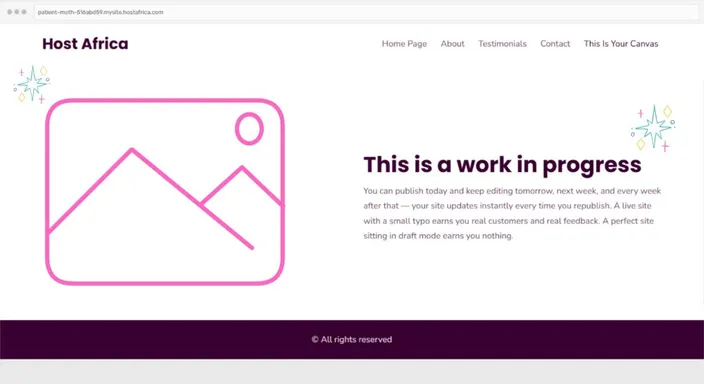
The fix: Ready or not, here's the super simple solution. You can publish today and keep editing tomorrow, next week, and every week after that.
Your site updates instantly every time you republish. A live site with a small typo earns you real customers and real feedback. A perfect site sitting in draft mode earns you nothing (besides a site in draft mode, of course).
What Pages Do You Need for Your First Website?
Here's another place beginners get stuck: deciding how many pages they need before they can launch.
Your first website probably needs fewer than you think.
For many small businesses, start with a Homepage, an About page, a page explaining your Services or Products, and a Contact page. Depending on what you do, you might even combine some of those initially.
Your homepage should quickly explain what you offer and point visitors towards their next step. Your other pages can provide the extra detail they need to make a decision.
You don't need to launch with 25 pages and a blog containing your complete thoughts on the industry since 2007.
Build the pages your customers need now. You can add the rest when there's a reason to.
Your First 10 Minutes, Checked Off
- Pick a template that's close to your South African business. Not perfect, just close
- Swap the placeholder text for your real name, summary, and contact details
- Click Publish
- Send the link to one person and ask them what they understood about your business in 10 seconds
What Does Your First Website Actually Need?
One reason that blank screen feels so intimidating is that you're imagining a 20-page masterpiece when your first website probably needs far less.
For most small businesses, a perfectly respectable starting point is a homepage, services or products page, about page, and contact page. That's enough to explain who you are, what you offer, why someone should trust you, and how they can take the next step.
Think of your first website like moving into a new house. You need somewhere to sleep, somewhere to sit, and probably a functioning kettle. The decorative cushions can come later.
Start with the essential pages. Once they're live and doing their jobs, you can add blogs, galleries, FAQs, testimonials, and other useful extras over time.
What to Prepare Before Building Your First Website
You don't need a 40-page website strategy before opening your Website Builder. But gathering a few things beforehand makes that first session considerably easier.
Have these basics nearby:
- Your business name and logo
- A short description of what you do
- Your main products or services
- Your phone number and email address
- Your business hours and location, if relevant
- A few decent photos of your business, team, products, or work
That's enough to replace most of the placeholder content in a template.
Don't worry if everything isn't polished yet. Your first website isn't a museum exhibit that gets unveiled once and never touched again. It's a working part of your business. Get the essentials in place, publish it, and improve it as you go.
Quick FAQ: How to Build Your First Website
Frequently Asked Questions
How do I build my first website?
Start by choosing a Website Builder and selecting a template that's reasonably close to the website you want.
Replace the placeholder content with your business name, what you offer, useful images, and contact details. Create the essential pages your visitors need, preview the website on desktop and mobile, and then publish it.
Don't try to build the final version of your website on day one. Your first goal is simply to get a useful, working version online.
What pages should my first website have?
Most small business websites can start with four core pages: Homepage, About, Services or Products, and Contact.
Some businesses will need additional pages for things like online bookings, an online store, FAQs, or individual services. Start with the information customers actually need rather than creating pages simply to make your website look bigger.
Do I need coding knowledge to build my own website?
No. Modern drag-and-drop Website Builders are designed to let beginners create pages without writing HTML, CSS, or other code.
You can generally choose a template and then edit text, images, buttons, colours, and page sections visually. That means you can concentrate on what your website needs to say and do rather than learning web development first.
How long does it take to build your first website?
A simple first website can be put together relatively quickly if you already have your basic business information, images, and contact details available.
The part that often takes longest isn't technically building the website. It's deciding what to write, which images to use, and whether everything is "good enough" to publish.
Start with the essentials rather than trying to perfect everything before launch.
Should I publish my website if it isn't perfect?
Yes, provided the important information is accurate and the website works properly.
Check that visitors can understand what you offer, navigate your pages, use your buttons and links, and contact or buy from you. You should also preview the website on mobile before publishing.
After that, launch it.
Finding a typo after publishing isn't a website emergency. Fix it, republish, and carry on. Your website is something you'll continue improving, not an exam paper you only get to submit once.
Ready to stop overthinking and start publishing? Start your free 14-day trial of HostAfrica's website builder, no credit card required, no code required.
