
Day 20 of the Week 3: Layout and Polish series.
There's a specific type of embarrassment every website owner experiences at least once:
A customer mentions, in passing, that the "Book Now" button on your site doesn't actually go anywhere. You click it yourself, and they're right. It goes nowhere. You had no idea.
Your face gets hot. You apologize. You promise to fix it. But internally, you're wondering: what else is broken?
The answer is usually: more than you realized.
Key Takeaways: How to Check Broken Links on Your Website
- Broken links are links, buttons, or clickable elements that don't take visitors to the correct destination.
- To check broken links on your website, open the live site and test your buttons, images, navigation, logo, forms, and important internal links.
- A dead link can frustrate visitors and prevent someone from reaching an important page or completing an action.
- You don't need an SEO tool or automated link checker for a basic check. Beginners can catch many problems manually.
- When you find a broken link, fix it in your website editor, republish, and test it again.
- Check your links before launch and whenever you make major changes to your website.
Your Week 3 Roadmap: Layout and Polish
Weeks 1 and 2 got your website online. Now it’s time to make it shine.
Over the next week we’ll cover:
- Why You Haven’t Touched Your Website Since You Published It
- Why Your Site Looks Cluttered Even With Good Content
- Why Your Footer Is a Missed Opportunity
- Why All Your Buttons Look Equally Important
- Why Your Navigation Menu Is Confusing People
- Why Clicking Your Own Site Reveals More Broken Things Than You Expected (this post)
- Why You’re Afraid to Experiment With Your Layout
The Problem: Broken Links Can Negatively Impact Your Website
When you're building a website, you're usually focused on how it looks, not how it behaves.
You see a button and it looks correct, so you move on. But a button with no destination, a logo that doesn't link home, or an image that leads nowhere can quickly frustrate visitors.
A single dead link could stop someone from reaching a service page, booking form, or other important part of your site.
Broken internal links can also make it harder for visitors and search engines to move between your pages.
And here's the problem: you know what everything on your website is supposed to do. Your visitors don't.
That's why the best way to spot these problems is surprisingly simple.
Pretend you've never seen your website before and start clicking.
How to Check Broken Links on Your Website
You could use an automated link checker or SEO tool to find broken links. As a beginner, though, you don't necessarily need one.
Grab your phone, open your live website in a real browser, and run this quick three-step check.
Step 1: Open Your Live Website
Don't use your website editor's preview mode.
Open Safari, Chrome, or your usual browser and type your domain into the address bar. You want to experience the same live website your visitors do.
Step 2: Click Every Important Button
Start at the top of your homepage and tap each button.
Does Contact open your contact page? Does Book Now lead to your booking system? Does Learn More go somewhere useful?
If nothing happens, you find a blank page, or the button takes you somewhere completely unexpected, you've found something to fix.
Check your homepage, navigation, important service or product pages, contact forms, and footer.
Step 3: Test Images, Navigation and Your Logo
Tap images that look clickable and make sure they lead somewhere useful.
Then test your navigation menu and logo. Your menu links should open the correct pages, while your logo should take visitors back to your homepage.
That's it.
No dramatic technical audit required. You're simply checking that clicking things does what visitors expect it to do.
How to Fix Broken Links on Your Website
Once you've found a broken link, the fix is usually straightforward:
Find the problem → Open your website editor → Correct the link → Republish → Test it again.
For a broken button or image, check that the correct destination URL has been added.
If a navigation link points to a page that no longer exists, either update the destination or remove the link.
If your logo doesn't take visitors home, check the link in your header or logo settings.
Then open your live site again and make sure the fix actually worked.
Website Broken Link Checker Checklist
Before you finish, run through this quick checklist:
- Every important button leads somewhere.
- Buttons open the correct page, form, or booking system.
- Clickable images lead to the correct destination.
- Your logo links back to the homepage.
- Navigation menu links work.
- Your contact form submits correctly.
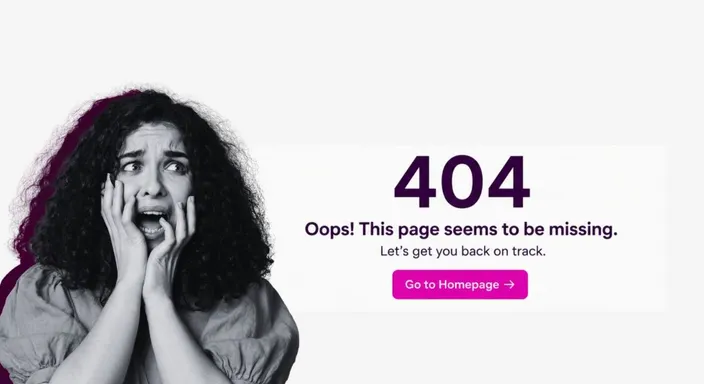
- No important links lead to blank pages or 404 errors.
Quick Tip
Do this audit on your phone, not just your laptop.
A button that's easy to click with a mouse can be frustratingly small to tap with your thumb. Catching that yourself is much better than hearing about it from a customer.
How Often Should You Check for Broken Links?
Run this check when you finish building your website and again after making major changes.
It's also worth checking periodically as your website grows. New pages, deleted content, and rearranged sections can all create broken links over time.
You don't need to inspect your website every Tuesday morning with a magnifying glass. Just make link checking part of your normal website maintenance.
FAQs: Check Broken Links on Website
Do I need to check every page?
Start with your homepage, main service or product pages, and contact page. These are usually the most important pages for visitors.
Can I use a link checker?
Yes. Automated link checkers can scan for broken links, but a quick manual test also lets you experience your website like a real visitor.
What if I find a broken link after launching?
Fix the link in your website editor, republish the page, and test it again. The sooner you fix it, the fewer visitors will encounter it.
What if the link works but the page looks wrong?
That's a different problem. Note it down for your next website update, the purpose of this check is simply to make sure your links work.
Next in this series: Why You're Afraid to Experiment With Your Layout →
Ready to catch broken links before your customers do? Try HostAfrica's Website Builder free for 14 days and run your first live check today. Grab your phone, click around, and fix anything that doesn't work.
