Key Takeaways: Self-Hosted AI Models
- Open-source models like Qwen, DeepSeek, Whisper, FLUX, Wan, and Stable Audio can be self hosted on your own infrastructure, giving you complete control over data, cost, and customisation.
- Self hosting ai models becomes most attractive once you consistently process large volumes of data or handle sensitive data that cannot leave your network.
- Different types of ai models map cleanly to concrete business workflows like chatbots, code generation, meeting transcription, and marketing content.
Artificial intelligence is no longer reserved for big tech. Today, businesses of any size can deploy powerful ai models on their own infrastructure, gaining full control over data, costs, and customisation. This guide walks through core concepts, hardware basics, and six concrete models you can run locally in-house right now.
These six models are just a small selection of the many ai models available today. They represent a range of capabilities across language, code, speech, image, video, and audio, suitable for automating common business workflows. This article does not focus on specific model versions or hardware details but provides a general overview to help you understand what’s possible with self-hosted AI.
Understanding AI Models in 2026
An AI model is essentially a mathematical structure trained on enormous data sets to find patterns and produce useful outputs - predictions, recommendations, or entirely new content. AI models can process diverse data types and automate complex tasks, making them valuable for businesses solving real-world problems.
AI models can be categorized by their primary functions, such as language understanding, code generation, speech recognition, image and video creation, and audio synthesis. Some models, like Qwen, are versatile and support multiple modalities including text and images, enabling broader applications.
An AI model processes inputs and produces outputs like predictions or recommendations. AI models recognize patterns from raw data to make predictions and generate content - and that ability is what makes them valuable for business.
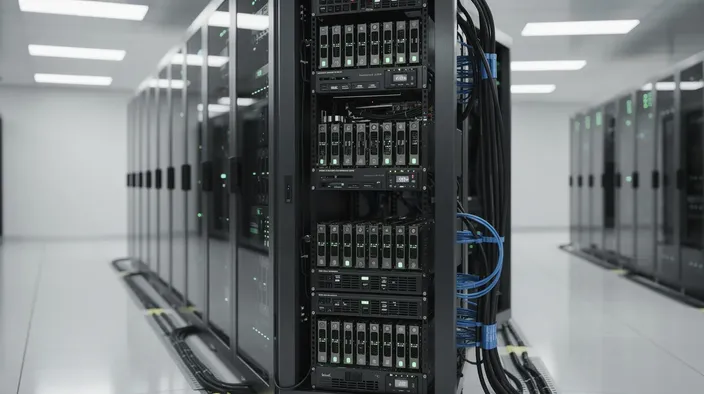
Why Self-Host AI Models Instead of Using Only Cloud APIs?
Most teams start with cloud APIs from providers like OpenAI or Anthropic. That works well for experimentation, but costs scale with usage. Self hosting ai flips the economics: you pay fixed infrastructure costs regardless of volume.
Here is why organisations make the switch:
- Data control and compliance. With self hosted models, all data stays on your servers. An EU company processing customer support messages under GDPR never sends PII to a third party. Synthetic data can help avoid privacy concerns in training, but keeping inference local eliminates the risk entirely.
- Predictable costs. Cloud APIs charge per token or request. A team generating many tokens daily for support answers or code suggestions could face high monthly fees. Running models on your own infrastructure offers fixed costs that scale more efficiently.
- Full control and customisation. You choose exact model versions, apply your own safety filters, and swap different models without changing application code. You can fine tune on proprietary knowledge and pin versions so behaviour never changes unexpectedly.
- Latency and reliability. Internal apps skip the round trip across the public internet. If a cloud vendor has an outage or policy change, your core workflows keep running.
AI models can process large data sets quickly and automate tasks. They automate decision-making processes across various industries including healthcare and finance. Self hosting and cloud APIs are complementary, but this guide focuses on when and how to self host effectively.
Hardware Basics for Self-Hosting AI Models
Running modern ai models requires computational resources, with GPU memory (VRAM) being a key factor. The model size generally determines the hardware needed—larger models require more memory and processing power.
Quantisation techniques reduce the memory footprint of models, enabling them to run efficiently on affordable hardware with minimal quality loss. Throughput and latency depend on the hardware and model size but can be optimized with the right setup.
Pre trained models save significant time in AI development because you skip model training from scratch. AI models require large datasets for effective training, but you benefit from that investment the moment you download weights. Tools exist to simplify model deployment and management, making self-hosting accessible for many organisations.
6 Powerful AI Models You Can Run on Your Own Infrastructure
While there are thousands of open models available, these six cover language, code, speech, image, video, and audio - enough to automate most office workflows. Generative AI models create new content across different media types, and multimodal models process and understand different input types together. Agentic AI models combine multiple models to perform multi-step tasks autonomously.
| Model Name | Primary Use | Ideal For |
| Qwen | Text generation, language understanding, and image generation | Chatbots, support, document analysis, creative content |
| DeepSeek | Code generation and development | Developers, automation, debugging |
| Whisper | Speech-to-text | Meeting transcription, call analysis |
| FLUX | Image generation | Marketing visuals, product mockups |
| Wan | Video generation | Marketing videos, training content |
| Stable Audio | Music and audio generation | Podcasts, advertising, branded audio |
Qwen: General-Purpose Language, Conversation, and Multimodal Model
Qwen is a family of large language models from Alibaba Group, with versions spanning a range of sizes. It has become one of the most popular ai models for chatbots, document analysis, and even image generation.
Large language models like Qwen can generate written responses, summarise documents, answer questions, and create images. AI models can analyse data to find patterns and make predictions, making Qwen the "brain" behind many internal knowledge assistants.
Business use cases:
- Customer service chatbots handling support tickets
- Internal knowledge assistants over Confluence or Notion
- Automated document summarisation for contracts
- Draft content creation for emails, reports, and creative visuals
Hardware and performance: Qwen models are designed to run efficiently on modern GPUs, with options for quantisation to reduce resource needs. For most teams, a single GPU handles chat and multimodal workloads comfortably.
Qwen's training combines supervised fine-tuning with reinforcement learning from human feedback. Reinforcement learning models learn through trial and error via rewards, which is how Qwen's responses become more helpful over time.
You can further fine tune on proprietary data to improve accuracy for your domain. Model evaluation monitors performance and accuracy over time, so track output quality as you iterate. Expose Qwen via an OpenAI-compatible API behind a reverse proxy for both direct chat and background tasks like nightly summarisation.
DeepSeek: AI Model for Code Generation and Software Development
DeepSeek is an open-source AI, from the code-focused LLM family. It uses advanced architectures to deliver strong performance efficiently. It is released under an MIT-style licence.
Primary capabilities:
- Code generation across multiple languages
- Bug localisation and debugging
- Unit test generation
- Technical documentation drafting
- Refactoring suggestions
Development workflows: Integrate DeepSeek into a Git-based code review bot, wire it into CI pipelines to propose fixes for failing tests, or embed it in an internal VS Code plugin. Development teams use it to speed up software delivery while improving code quality.
Self hosting DeepSeek avoids sending proprietary source code to third-party APIs - critical for organisations with strict IP obligations. Running variants on a single GPU is realistic with quantisation. AI models may produce incorrect information and inherit biases from training data, so always review generated code before merging.
A common pattern: Qwen handles natural language conversation, while DeepSeek is called specifically for code blocks via routing rules. Different models are designed for different tasks and problems, and pairing them this way hits the sweet spot of capability and efficiency.
Whisper: Accurate Speech-to-Text for Meetings and Calls
Whisper is OpenAI's open-source speech recognition model, steadily adopted through 2024–2026 for multi-language transcription and translation. It handles audio tasks that would otherwise require manual effort.
Key features:
- High accuracy across accents and noisy audio
- Support for dozens of languages
- Both transcription and speech translation (e.g., Spanish audio to English text)
Business use cases: Auto-transcribing meetings, generating call centre transcripts for compliance, turning sales calls into CRM notes, and creating subtitles for training videos.
Whisper comes in various sizes, trading speed for accuracy. Deployment integrates models into applications or processes: run Whisper behind an HTTP API, accept audio uploads, queue jobs, and store transcripts that Qwen can later summarise.
Self hosting Whisper means recorded meetings and calls never leave your secure environment. For legal, finance, and healthcare organisations, privacy concerns make this a requirement rather than a nice-to-have. Data stays on your servers, under your control.
FLUX, Wan, and Stable Audio: Generating Images, Video, and Sound In-House
These three models form a creative AI stack for marketing and media teams: FLUX for images, Wan for video, and Stable Audio for music and sound effects.
FLUX (image generation): FLUX is a text-to-image model family. It generates images quickly on modern GPUs. Use cases include ad creatives, product mockups, social media graphics, and website hero images.
Wan (video generation): Wan converts text descriptions or still images into short video clips. Ideal for marketing shorts, product explainers, and internal announcements without a full video crew.
Stable Audio (music and sound): Stable Audio generates background music, podcast intros, sound logos, and effect tracks unique to your brand. It runs efficiently on consumer GPUs, producing audio quickly.
Image and video models typically demand more GPU memory and disk bandwidth than language models. Run them as batch jobs on dedicated hardware separate from chat workloads. Monitor output variety and quality over time, especially if you fine tune these models on brand-specific styles.
A practical AI workflow: use Qwen to outline a campaign, FLUX to create visuals, Wan to turn them into short videos, and Stable Audio to add custom soundtracks - all on your own infrastructure, with complete control.
When Does Self-Hosting Beat Cloud APIs on Cost and Control?
The decision is not ideological. It comes down to usage volume, data sensitivity, and desired flexibility.
- Token-based cost example: Teams generating large volumes of tokens daily for support answers, code suggestions, and summaries through premium cloud models can face high monthly fees.
- Fixed infrastructure alternative: Running your own GPU server can serve hundreds of thousands or millions of tokens daily with cost savings that compound as volume grows.
Safely Deploying and Operating Self-Hosted AI Models
Once you pick models and hardware, deploying ai models securely and reliably in production requires operational discipline.
- Runtime and serving: Tools like vLLM, Ollama, and text-generation-inference expose OpenAI-compatible APIs, handle batching, and manage caches for performance. The inference engine handles the heavy lifting so your application code stays clean.
- Security: Enforce network isolation via private subnets and VPN access. Add strict authentication on AI endpoints, rate limiting, audit logging, and regular patching of GPU drivers and inference servers.
- Monitoring: Track latency, throughput, GPU utilisation, and error rates. Spot-check outputs regularly - a model's performance can degrade if input data patterns shift.
- Updates and rollouts: Test each new model version or fine tuned checkpoint in staging. Run A/B comparisons against existing models before promoting to production.
- Disaster recovery: Keep versioned model artifacts in object storage. Maintain deployment scripts to rapidly recreate your self-hosted environment after any incident.
AI models can automate decision-making processes, but human oversight on outputs - especially for regulated or safety-sensitive workflows - remains essential. Data scientists and ML engineers should establish evaluation baselines before going live.
FAQ: Practical Questions About Running AI Models & Self-Hosting
What is the smallest setup I need to self host an AI model?
Requirements vary by model size and use case, but a modern GPU with sufficient memory, a multi-core CPU, ample RAM, and fast storage are essential components. 24GB GDDR7 on GPU, 16 cores, 32GB DDR5 RAM and 500GB NVMe SSD is considered a fair starting point.
Do I need data scientists to train or fine-tune these models?
Most teams rely on pre trained models and perform only light fine-tuning or prompt engineering. For many use cases, retrieval-augmented generation (RAG) over your documents is enough, which software engineers can set up without a full research team.
How do I choose between different types of AI models for my project?
Start from the task: text and chatbots call for Qwen; programming tasks for DeepSeek; transcription for Whisper; visuals for FLUX and Wan; music for Stable Audio. Create a small matrix of tasks versus candidate models, run quick benchmarks on real company data, and standardise. It is common to combine multiple models in a single application with routing logic deciding which handles each request.
Can I mix self-hosted models with SaaS tools my team already uses?
Yes, many organisations adopt a hybrid approach that combines self-hosted AI models with cloud-based SaaS tools. This setup means sensitive data lives within your own infrastructure, ensuring data sovereignty and compliance, while leveraging cloud models for less sensitive or more complex tasks.
For example, you might embed a self-hosted Qwen endpoint into an internal ticketing system for auto-drafted replies, while still using a cloud LLM for complex escalation summaries. This approach balances control, cost, and performance.
Why should I self-host AI models instead of relying solely on cloud APIs?
Self-hosting offers several key benefits. First, it ensures full data sovereignty, keeping your sensitive information on-premises and reducing privacy risks. Second, it provides predictable, fixed infrastructure costs that don’t scale with usage, unlike cloud APIs that charge per token or request.
This can lead to significant cost savings as your AI usage grows. Additionally, self-hosting gives you greater control over model versions, fine-tuning, and latency, improving reliability and customization.
Self-hosted APIs provide secure core capabilities. For example, embed a self-hosted Qwen endpoint into an internal ticketing system for auto-drafted replies, while still using a cloud LLM for complex escalation summaries. Human intelligence remains essential for oversight, but the heavy lifting shifts to your models.